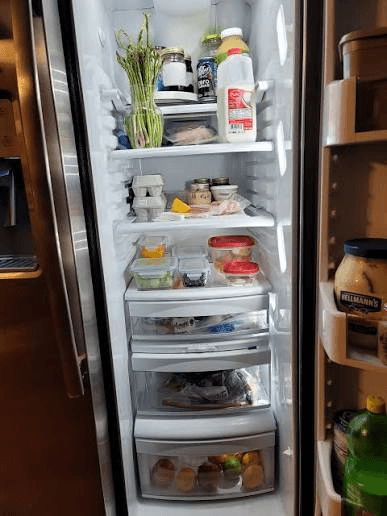
The right question is not “is the scanner 100% accurate?” A better question is whether it gets you to a useful, reviewed pantry faster than starting from an empty list.
Key takeaways
- Separate recognition quality from safety decisions.
- Test with your own kitchen images.
- Prefer editable results over silent imports.
- Measure correction time, not just detection count.
What makes a scan easier or harder
Large, separated objects in good light are easier to identify than small items behind a container. Brand labels may improve specificity, while glare and reflections can make text unreadable. A crowded shelf creates ambiguity even for a person.
Ask what level of precision you need. “Vegetables” might be enough for a shopping reminder, but a recipe match may need “spinach” rather than a generic category.
Confidence is useful only with a correction path
A confidence label helps you decide what to check first, but it is not a probability of safety or a guarantee. The interface should make the correction path obvious: edit the name, change the category, add a date, or leave the item out.
FridgeFox keeps the review step before the pantry write. That makes an imperfect model usable because the user remains responsible for the saved record.
How to test an app honestly
Use five to ten ordinary images from your own kitchen. Include a bright shelf, a crowded shelf, a packaged item, leftovers, and a dim corner. Record what it got right, what it missed, and how long correction took.
Do not judge the product from a staged photo alone, and do not compare one app’s marketing claim with another app’s measured result unless the test conditions are identical.
Accuracy has boundaries
Even a correctly named item does not reveal its storage history or whether it is appropriate for someone with an allergy. The safe boundary is clear: use scanning to organize visible information, then use labels and authoritative guidance for decisions about food.
- Separate recognition quality from safety decisions.
- Test with your own kitchen images.
- Prefer editable results over silent imports.
- Measure correction time, not just detection count.
- Keep a manual entry path for missed items.
What are the limitations and exceptions?
Even a correctly named item does not reveal its storage history or whether it is appropriate for someone with an allergy. The safe boundary is clear: use scanning to organize visible information, then use labels and authoritative guidance for decisions about food.
Sources and further reading
Food-storage and safety guidance changes by country and context. Use these authoritative sources for the decision in front of you.
See the FridgeFox testing methodology and corrections process for how product and source claims are reviewed.
A practical next step