FREEZER INVENTORY APP
Freezer inventory from photos you review
FridgeFox can scan a clear freezer or frozen-food photo and save accepted ingredients into the same persistent pantry used for recipe matching. It does not currently create a separate freezer location or infer safe storage dates. The best fit is a household that wants faster photo-assisted entry and can review labels, dates, and hidden packages manually.
Responsive web app · Mobile and desktop browsers · Installable PWA where supported
THE REVIEWED WORKFLOW
From one photo to a useful pantry
- 01Take or upload a photo
Use a clear fridge, pantry, freezer, or shelf image.
- 02Review detections
Edit names, remove mistakes, and add missed ingredients.
- 03Save the pantry
Only accepted ingredients become persistent records.
- 04Add useful dates
Expiry fields are optional and entered by you.
- 05Compare recipes
See match percentages and missing ingredients.
How do you photograph a freezer for inventory?
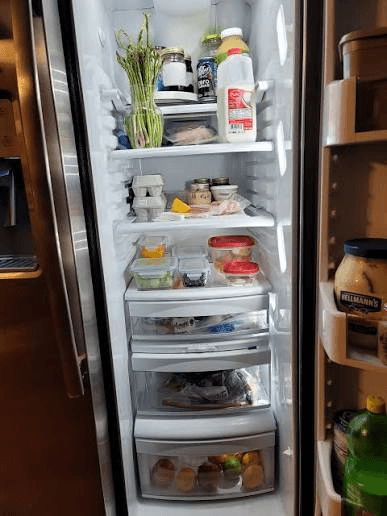
Avoid an overfilled wide shot where packages overlap. Photograph one drawer or shelf in good light, keep labels visible, and clear frost or reflections only when it is safe to do so.
After detection, rename broad results such as “frozen vegetables” when the exact ingredient matters. Add packages hidden underneath by hand or in another scan.
What dates should you record?
Use a printed date, freezing date, or household reference date that you know. FridgeFox does not calculate a safe storage limit or inspect temperature history.
If food safety is uncertain, rely on the package and current local public-health guidance. The application stores the date you enter; it does not certify the food.
How does freezer food reach a recipe match?
Accepted ingredients join the same pantry list as other food. Recipe cards can then show which ingredients are available and which are missing, regardless of where the ingredient is physically stored.
This single-list model is simpler to maintain but not suitable for users who need separate fridge, freezer, and pantry stock reports.
WORKFLOW COMPARISON
FridgeFox freezer workflow compared with a freezer spreadsheet
| Need | FridgeFox | Manual method |
|---|---|---|
| Photo-assisted entry | Yes, one image per scan | No |
| Separate freezer location | No | Possible with a column |
| Expiry or freeze date | Optional manual field | Manual field |
| Recipe matching | Built in | Separate tool needed |
TRANSPARENT PRICING
Pro for one kitchen. Family for a shared household.
Pro costs €9.99 monthly or €99.99 yearly. Family costs €19.99 monthly or €199.99 yearly and supports one owner plus up to five members. There is no free application plan.
COMMON QUESTIONS
Questions before you choose
Can FridgeFox identify frozen food in opaque packaging?
Only when visible labels or recognizable packaging provide enough information. Otherwise add or correct the ingredient manually.
Does FridgeFox tell me whether frozen food is safe?
No. It cannot assess temperature history, spoilage, or safe storage from a photo.
Will freezer items be stored separately?
No. Accepted items join the same pantry inventory used for recipe matching.
START WITH ONE REVIEWED PHOTO