FRIDGE INVENTORY APP
A fridge inventory app that starts with a photo
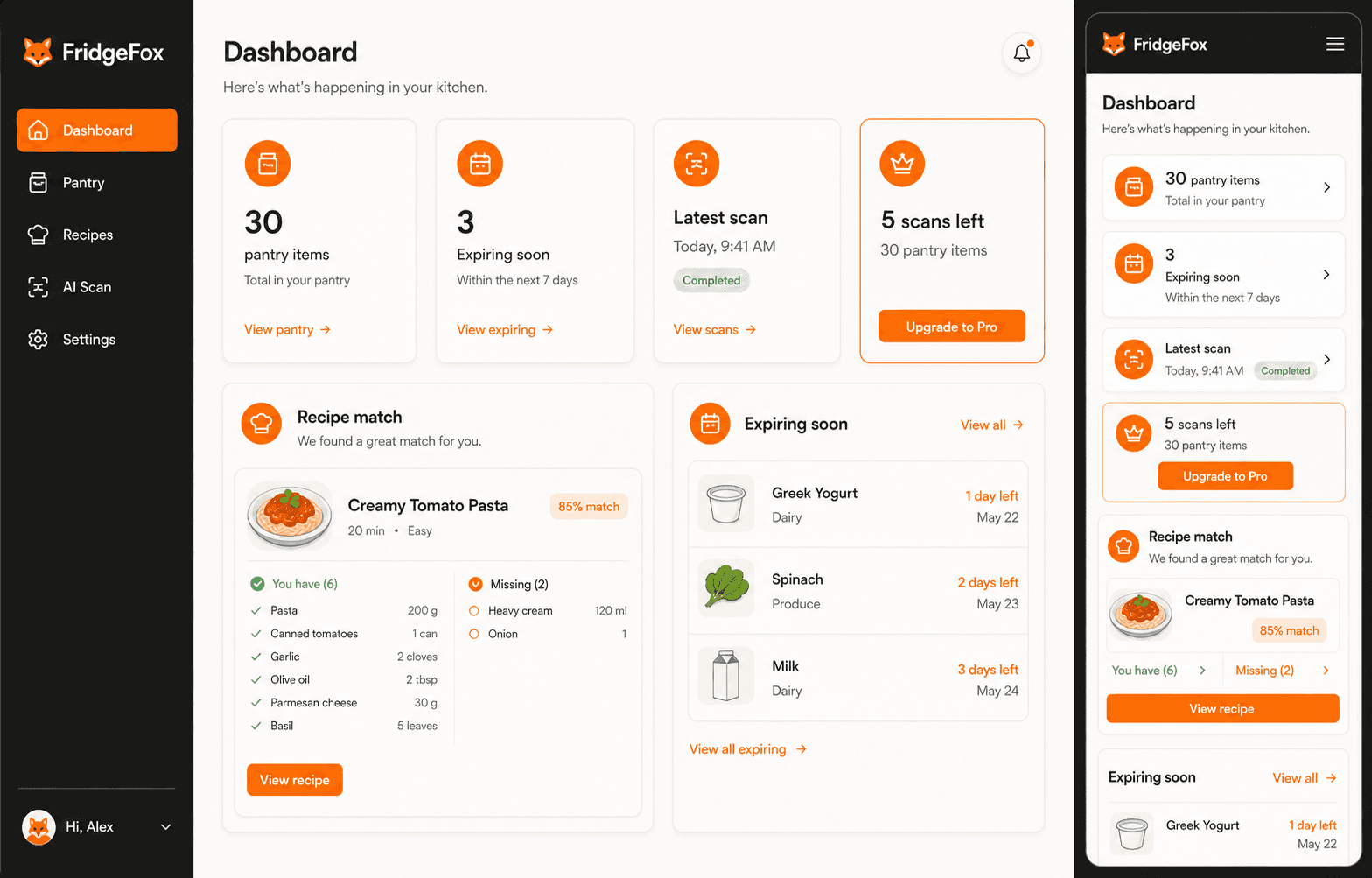
FridgeFox helps you build a fridge inventory from one reviewed photo at a time. The scanner suggests visible ingredients, you correct the list, and accepted items become part of a persistent pantry. Optional expiry dates and recipe matches then make the list useful beyond the first scan, while hidden items can always be added manually.
Responsive web app · Mobile and desktop browsers · Installable PWA where supported
THE REVIEWED WORKFLOW
From one photo to a useful pantry
- 01Take or upload a photo
Use a clear fridge, pantry, freezer, or shelf image.
- 02Review detections
Edit names, remove mistakes, and add missed ingredients.
- 03Save the pantry
Only accepted ingredients become persistent records.
- 04Add useful dates
Expiry fields are optional and entered by you.
- 05Compare recipes
See match percentages and missing ingredients.
Why use a photo for fridge inventory?
Typing a full shelf creates friction before the inventory has proved useful. A photo can shorten that first pass, while the mandatory review step stops broad or incorrect detections from becoming permanent records.
Use separate scans for areas that cannot be seen together. Door shelves, crisper drawers, and containers behind other food need their own photo or a manual entry.
What should you record after the scan?
Keep the ingredient name clear enough for recipe matching. Add quantity or units when they change a cooking decision, and add an expiry date when there is a reliable label or household date to record.
FridgeFox does not infer dates or freshness from appearance. A date is a reminder to inspect the food and label, not an instruction to eat or discard it.
How does the fridge inventory support repeat use?
Return before shopping or cooking, review what is already recorded, and choose recipe matches that use available ingredients. Remove items after they are used so the next match reflects the kitchen rather than an old snapshot.
WORKFLOW COMPARISON
Photo-assisted fridge inventory compared with memory
| Need | FridgeFox | Manual method |
|---|---|---|
| Visible shelf capture | Photo suggestions plus review | Memory or handwritten list |
| Hidden food | Manual addition required | Easy to forget |
| Expiry detail | Optional user-entered date | Depends on list |
| Next-meal decision | Pantry-aware recipe matches | Separate recipe search |
TRANSPARENT PRICING
Pro for one kitchen. Family for a shared household.
Pro costs €9.99 monthly or €99.99 yearly. Family costs €19.99 monthly or €199.99 yearly and supports one owner plus up to five members. There is no free application plan.
COMMON QUESTIONS
Questions before you choose
Can FridgeFox see items in drawers or behind containers?
No. Take another clear photo or add those ingredients manually.
Can I edit a detected ingredient?
Yes. The scan review lets you edit names and categories, remove mistakes, and add missed items.
Does the inventory persist after the scan?
Yes. Accepted ingredients are saved to the account pantry until you edit or remove them.
START WITH ONE REVIEWED PHOTO